
Cloud-Based Payments: Managing Transactions on the Go
Business no longer happens at one counter, one desk, or one location. Sales happen in stores, at events, in the field, on service calls, through invoices, on mobile devices, and across online channels.
That shift has changed what businesses need from their payment tools. They need more than a way to accept cards. They need visibility, flexibility, and control from wherever work happens.
That is why Cloud-Based Payment Processing has become such an important part of modern business operations. Instead of being tied to a single terminal or back-office computer, businesses can manage transactions through connected systems that sync payment activity across devices, locations, and teams.
A sale taken on a mobile device, a refund issued from a dashboard, an invoice paid online, and a report reviewed after hours can all live inside the same payment environment.
For business owners, managers, and decision-makers, that kind of access changes the day-to-day reality of payment management. It reduces delays, improves oversight, and helps teams move faster without losing accountability.
It also supports a better customer experience, because customers expect quick, convenient, and secure ways to pay wherever they are.
This article explains what cloud-based payment processing means, how it works, why businesses are adopting it, and how to choose a system that actually supports growth.
It also covers use cases, risks, setup steps, best practices, and common mistakes to avoid so you can manage payments on the go without creating confusion behind the scenes.
What Cloud-Based Payment Processing Really Means
At a basic level, Cloud-Based Payment Processing means using internet-connected payment technology to accept, manage, and monitor transactions through software hosted in the cloud rather than relying only on one local machine or isolated terminal.
Payment activity is stored, updated, and made accessible through secure online systems, which allows authorized users to view and manage transactions from different devices and locations.
In practical terms, this often includes mobile payment processing apps, cloud POS systems, virtual terminals, online payment dashboards, remote invoicing tools, and integrations with accounting or business software.
A business owner might review daily sales from a phone, a manager might issue a refund from a tablet, and a finance team member might reconcile settlements from a web dashboard. Everyone works from connected data instead of chasing separate records.
This does not mean the business is giving up control. In many cases, it is the opposite. Cloud Payment Management makes it easier to see what is happening across locations, team members, and payment channels in real time.
Instead of waiting until the end of the day to collect paper receipts or manually compare terminals, businesses can track activity as it happens and respond faster when something looks off.
Another important point is that cloud payment processing is not limited to one business model. It supports retailers, service professionals, hospitality teams, appointment-based businesses, online sellers, mobile teams, and multi-location operations.
The exact tools may differ, but the goal is the same: accept payments efficiently and manage them from anywhere with the right access.
How cloud payment processing differs from older payment setups
Traditional payment setups were often built around a single checkout station, a countertop terminal, or a local software install. That model can still process payments, but it creates limits.
Data may stay on one device until it is manually exported. Reports may not update until the end of the day. Refunds may require access to one specific terminal. Managers may have little visibility when away from the premises.
Cloud Payment Processing changes that by centralizing payment data in a connected environment. Instead of working through isolated systems, transactions flow into shared dashboards and reporting tools.
This makes remote transaction management much easier because businesses can see sales, open invoices, payment status, refunds, and settlements without physically standing at the point of sale.
The difference also shows up in scalability. Older systems often become harder to manage as the business adds staff, channels, or locations. Cloud-based payment systems are usually designed to grow with the business.
Adding new users, updating settings, connecting new devices, or launching a second location is often much simpler than rebuilding a local setup from scratch.
There is also a major difference in agility. Businesses can roll out mobile checkout solutions, launch contactless payments, or start recurring billing management much faster when those features are already built into a cloud platform.
That matters when customer expectations change quickly or when a team needs to adapt without disrupting operations.
Why the cloud model matters for modern payment workflows
Modern businesses need payment tools that match how work actually happens. Teams move. Customers pay in different ways. Managers need answers quickly. Finance teams need reliable data. This is where Cloud-Based Payment Systems offer real value.
A cloud model helps connect the entire payment workflow, not just the payment acceptance moment. That includes invoicing, transaction approvals, refunds, settlements, reporting, user permissions, payment gateway integration, and payment data sync with other business tools.
Instead of treating payments as one isolated task, the business can treat them as part of a connected operating system.
This matters even more when the business does not operate from one fixed location. Field teams, multi-site businesses, pop-up operations, delivery teams, and appointment-based providers often need business payment mobility.
They need to accept payments where the customer is, not where the terminal sits. A cloud platform supports that without forcing the business into fragmented workarounds.
Why Businesses Are Moving to Cloud Payment Processing
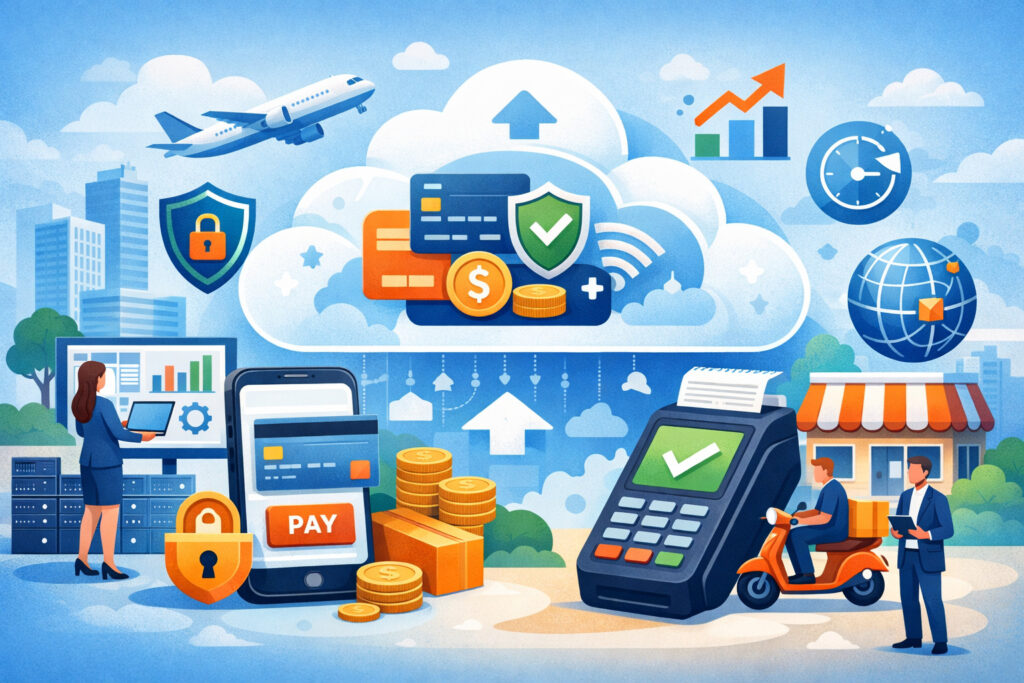
Businesses adopt new payment tools when the benefits are obvious in day-to-day operations. That is exactly why Cloud Payment Processing continues to gain traction. It helps businesses move faster, work from more places, and keep a clearer view of what is happening financially without being tied to one device or one location.
One major driver is flexibility. Many businesses now operate through blended models. They may sell in person and online. They may send invoices after service visits. They may manage multiple shifts, teams, or locations.
A cloud setup helps bring those moving parts together. Instead of juggling separate terminals, spreadsheets, and apps, businesses can work from one connected payment environment.
Another reason is speed. Cloud payment platforms for businesses often make setup, updates, and expansion easier. A business can deploy new devices, add users, connect software integrations, or turn on new payment methods without the delays that come with older, more hardware-dependent systems.
This helps both newer businesses and established businesses that want to modernize without rebuilding everything at once.
Visibility is also a huge reason for adoption. When owners and managers can see real-time transaction tracking, open invoices, refunds, and payment analytics from anywhere, they make better decisions.
They do not have to wait until the end of the week to spot a problem. They can see sales trends, compare locations, and review operational issues while they still have time to act.
Flexibility for mobile teams, managers, and owners
Businesses are no longer always managed from behind a front desk. Owners travel. Managers split time between locations. Teams work in the field. Service staff accept payments after jobs are complete. This is where business payment mobility becomes more than a convenience. It becomes a core operating need.
With Cloud-Based Payment Processing, a manager can monitor sales while away from the main site. A technician can accept a payment on a mobile device after completing a service call.
A team member can send a payment link or remote invoice without returning to the office. That kind of flexibility helps close sales faster and reduces delays in getting paid.
This flexibility also improves customer service. Customers do not want to hear that they need to wait until someone gets back to the office to process a payment, check an invoice, or issue a refund.
Cloud-based systems make it easier for businesses to respond in the moment. Faster service often leads to smoother experiences and better trust.
For owners, flexibility also means fewer blind spots. They can check online payment dashboards, review payment reporting tools, and monitor activity without calling the store or waiting for someone to email a report.
That does not replace strong internal controls, but it does give leadership more awareness and more confidence in the payment process.
Better visibility across locations and channels
Many businesses struggle not because they lack payment options, but because those options are disconnected. One system handles in-person payments. Another handles invoices. Another tracks online orders.
Yet another store is reporting. When these tools do not talk to each other, the result is confusion, extra manual work, and delayed insight.
Cloud Payment Management helps solve that problem by creating a central view of payment activity. A business can monitor transactions from multiple locations, sales channels, or devices in one place.
This is especially important for multi-location payment management, where leaders need consistency in reporting, user permissions, and transaction tracking across sites.
Visibility also makes reconciliation easier. If payment data sync works well, finance teams spend less time chasing missing details and more time reviewing actual performance. Refunds, settlements, tips, invoices, and payment methods can often be tracked through the same dashboard. That reduces manual errors and improves confidence in the numbers.
Better visibility also supports stronger decision-making. Businesses can identify top-performing time periods, compare staff or locations, review customer payment preferences, and spot unusual activity earlier. That turns payment systems into more than a checkout tool. It turns them into a source of operational intelligence.
How Cloud-Based Payment Systems Work in Real Business Operations
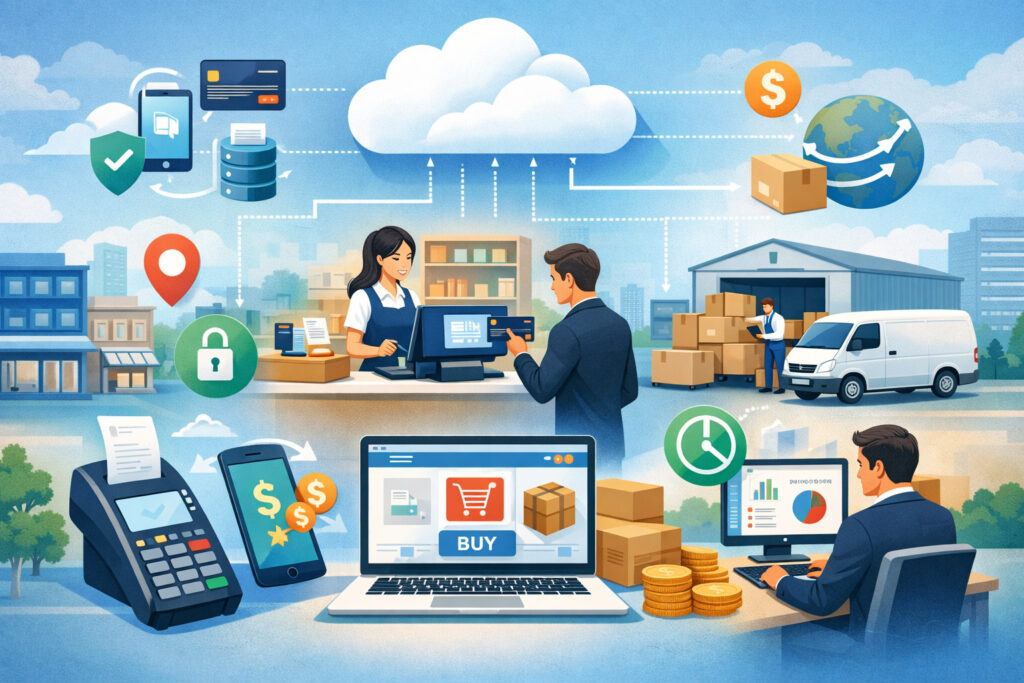
To understand the value of Cloud-Based Payment Systems, it helps to look at how they work behind the scenes. The process usually starts when a customer makes a payment through a connected channel.
That could be a card reader, mobile device, cloud POS system, online checkout page, invoice link, payment gateway, or virtual terminal. The transaction details are then processed through the payment system and synced to the cloud environment where the business can view and manage the activity.
Because the system is cloud-connected, data does not stay trapped on one piece of hardware. Authorized users can log into online payment dashboards or mobile apps to see transaction history, settlements, customer payment status, reporting, and account-level settings.
Depending on the platform, they may also manage recurring billing, issue refunds, send invoices, adjust user permissions, or connect data to accounting software.
This model supports both front-end and back-end workflows. On the front end, it helps the business accept payments in person, online, over the phone, or in the field. On the back end, it helps track the business side of payments, including reporting, reconciliation, payment data sync, batch visibility, and access controls.
This connected structure is a major reason Cloud Payment Platforms for Businesses are useful. They do not just help accept payments. They help keep payment operations organized across devices, teams, and business functions.
Mobile apps, web dashboards, and connected devices
Most cloud payment systems include a mix of tools designed for different roles. Mobile apps are often used by staff taking payments in the field, at tableside, during deliveries, or at mobile events.
These apps usually work with a card reader or mobile checkout solution and may also allow invoice sending, digital receipts, refund initiation, or sales review.
Web dashboards are often where managers and finance teams spend more time. These dashboards provide access to transaction records, payment analytics, batch details, invoice status, settlement reports, user management, and sometimes device controls.
Instead of logging into several systems, the team can access operational and financial payment data in one place.
Connected devices bridge the gap between physical payment acceptance and cloud reporting. A cloud POS system, smart terminal, or mobile card reader collects the payment at the point of interaction, then syncs the transaction to the system.
This makes it possible for the business to take a payment on the floor, at a job site, or at a customer counter while still keeping centralized records.
The best setups are designed so that these tools feel consistent rather than disconnected. That means a payment accepted on one device appears quickly in the dashboard, and a refund or transaction note added in the dashboard is reflected in the broader payment record.
The role of virtual terminals, invoicing, and gateways
Not every payment happens face to face. Many businesses need flexible ways to accept payments remotely. This is where virtual terminals, invoicing tools, and payment gateway integration become essential parts of cloud-based payment processing.
A virtual terminal allows authorized staff to key in payment details through a secure browser-based interface.
This can be useful for phone orders, appointment deposits, service follow-ups, or manual billing situations where the customer is not physically present. Because it is cloud-based, the transaction can still be tracked alongside other payment activity.
Remote invoicing is another major advantage. Businesses can generate and send invoices through the payment platform, allowing customers to pay through a secure link.
This helps service providers, consultants, project-based businesses, and appointment-based operations collect payments without waiting for in-person visits or mailed checks. It also creates better payment tracking because invoice status, partial payments, and completed payments are visible in one system.
Payment gateways handle the secure connection between the customer-facing payment action and the payment processor. In cloud environments, gateway tools often integrate directly into online checkout pages, apps, subscription systems, booking flows, or custom websites.
This makes online payments, recurring billing management, and digital customer experiences much easier to manage under one payment infrastructure.
Key Benefits of Cloud-Based Payment Processing

The benefits of Cloud-Based Payment Processing go far beyond convenience. Businesses choose cloud payment systems because they solve real operational problems: limited visibility, slow setup, manual reconciliation, poor flexibility, and difficulty managing payments across teams or locations.
When implemented well, a cloud-based setup can make payment operations more efficient, more organized, and easier to scale.
One of the biggest advantages is real-time access. Instead of waiting for end-of-day exports or manual updates, businesses can view sales and transaction details as activity happens.
This helps with cash flow awareness, management oversight, and faster issue resolution. If a payment fails, a refund is requested, or an invoice remains unpaid, the business can see it quickly and respond.
Cloud systems also support easier reconciliation. Because data from mobile payment processing, invoices, online payments, and cloud POS systems can flow into one platform, finance teams spend less time stitching together records. That improves accuracy and reduces the frustration of mismatched numbers across disconnected tools.
Scalability is another major benefit. As businesses grow, they can often add users, locations, devices, and payment channels without replacing the core system. This is one reason cloud payment platforms for businesses appeal to both startups and established operations. The system can support today’s workflow while leaving room for tomorrow’s growth.
Real-time access, reporting, and reconciliation
Payment reporting tools are only useful when the data is timely and easy to act on. In cloud environments, businesses often get real-time transaction tracking that shows sales activity, payment methods, refunds, settlements, and invoice status without long delays. That improves operational awareness throughout the day, not just after the fact.
For business owners, this means they can check performance even when they are away from the main site. For managers, it means they can watch for issues like duplicate refunds, failed payments, or unusual transaction behavior. For finance teams, it means more reliable reconciliation because the payment data sync is more consistent across channels.
Reconciliation becomes especially important when a business uses several ways to accept payments. A cloud-based system can help connect in-person transactions, online payments, remote invoices, and virtual terminal activity into a shared record.
That makes it easier to compare totals, review settlement timing, and investigate discrepancies without sorting through multiple exports and screenshots.
Reporting quality also improves strategic decisions. Businesses can look at payment analytics to understand revenue patterns, average ticket sizes, busy time periods, repeat billing trends, or location-level performance.
These insights support staffing decisions, customer experience improvements, and more informed growth planning.
Faster deployment and easier scaling
In many cases, cloud payment setups are easier to launch than older hardware-heavy models. A business can often start with a web-based dashboard, mobile app, card reader, or cloud POS device and expand from there.
Software updates, feature changes, and user setup are often handled more smoothly because the system is centrally managed rather than locally installed on each machine.
This faster deployment matters for businesses that need to move quickly. A new location can be onboarded faster. A seasonal team can be added with controlled user permissions. A service business can start remote invoicing without building a separate workflow.
An established business can add contactless payments or mobile checkout solutions without overhauling everything else.
Scaling also becomes less disruptive. Instead of layering separate systems every time the business grows, the company can extend a core platform across new use cases. That might include adding recurring billing management, enabling multi-location payment management, or connecting accounting tools as the business becomes more complex.
The real value is not just growth for growth’s sake. It is controlled growth. Businesses can expand payment capabilities while keeping visibility, reporting standards, and security controls aligned.
Where Cloud Payment Platforms Make the Biggest Difference
The true strength of Cloud Payment Processing becomes clear when you look at real business scenarios. Different types of businesses have different payment needs, but many share the same challenge: they need to accept payments efficiently while keeping operations organized across devices, teams, and customer touchpoints.
A retail business may need cloud POS systems that sync across checkout counters and mobile devices. A field service company may need mobile payment processing and remote invoicing after each job. A restaurant may need tableside payments, online order integration, and centralized reporting.
A healthcare practice may need secure invoicing, recurring billing, and user controls for front desk staff. An appointment-based business may need deposits, stored payment methods, and no-show protection.
What ties these use cases together is the need for flexibility without giving up oversight. Cloud Payment Platforms for Businesses help create that balance. Teams can work where they need to work, and leadership can still monitor payment activity from a central view.
The benefit is not just technical. It changes workflow. Staff spend less time working around system limitations, customers get smoother payment options, and decision-makers gain better visibility into how money is moving through the business.
Retailers, restaurants, and appointment-based businesses
Retailers often need speed at checkout, inventory visibility, and reporting across locations or sales channels.
A cloud POS system can help sync product, transaction, and payment data so that sales made on the floor, through a mobile device, or during peak periods are all reflected in the same system. This supports better reporting and fewer manual corrections later.
Restaurants and food service businesses benefit from mobile checkout solutions, contactless payments, and real-time transaction tracking.
Staff can take payments at the table, at a counter, or for online orders while managers review sales activity from a dashboard. Refunds, tips, and settlement details can be tracked more consistently when payment tools are cloud-connected.
Appointment-based businesses also gain strong value from cloud payment management. Salons, clinics, repair businesses, and service studios often need to accept deposits, store cards securely, send invoices, or charge after a service is completed.
Cloud tools make it easier to manage bookings, cancellations, no-shows, and follow-up billing within connected workflows.
For all of these businesses, the biggest win is less friction. Staff can focus more on service and less on patching together payment tasks from multiple disconnected tools.
Field service teams, healthcare practices, and online sellers
Field service businesses need maximum mobility. Technicians, installers, and service professionals often complete work away from a fixed counter, which means payment acceptance must happen in the field.
Mobile payment processing lets teams accept cards on site, while remote invoicing gives them a backup option when a customer prefers to pay later. The transaction still flows into the same cloud system for tracking and reporting.
Healthcare-related practices often need careful access controls, recurring payment support, and organized transaction records. While payment tools do not replace broader compliance obligations, cloud merchant services can support better payment workflow management by centralizing invoices, payment status, refunds, and role-based permissions.
This helps reduce front-desk confusion and makes it easier for managers to review activity without digging through separate systems.
Online sellers also benefit from digital payment infrastructure that integrates checkout, payment gateway tools, subscriptions, invoice links, and reporting.
When online payments are connected to the broader payment platform, the business gets a more complete view of sales performance and customer payment behavior. That is especially important for sellers operating across websites, social channels, and direct billing workflows.
Cloud Payment Management and Day-to-Day Control
Accepting payments is only one part of running a business. The bigger challenge is managing what happens after the payment is taken.
That includes transaction review, refunds, invoice tracking, settlement monitoring, reporting, access control, and follow-up action when something does not look right. This is where Cloud Payment Management becomes especially valuable.
A strong cloud setup gives businesses one place to view operational payment details without needing to jump between devices or separate systems.
A manager can review daily batches, a finance lead can check deposit timing, and a service team can confirm whether an invoice was paid. These are not high-level features. They are practical tools that reduce confusion and make payment operations more manageable.
Cloud payment management also improves accountability. Because actions often happen inside a shared system, businesses can see who issued a refund, who processed a transaction, who created an invoice, or when a payment status changed. This helps with internal oversight and creates a clearer audit trail.
For growing businesses, that visibility matters even more. As more people handle payment-related tasks, the risk of inconsistency increases. Centralized cloud controls help create standard processes, stronger documentation, and better operational habits.
Tracking transactions, refunds, invoices, and settlements
One of the most useful features of cloud payment management is centralized transaction history. Instead of hunting across terminals, paper receipts, and inboxes, businesses can review payment records in one dashboard. That includes approved transactions, declined transactions, refunds, charge activity, invoices, and settlements.
Refund management becomes much easier when it is tied directly to the original transaction record. Staff can verify what was paid, when it was paid, and whether a refund has already been issued. This reduces duplicate mistakes and gives managers better oversight into refund patterns that may signal training issues or process gaps.
Invoice tracking is another major advantage. Businesses can see which invoices are sent, viewed, partially paid, overdue, or complete. That helps service-based businesses reduce payment delays and keep accounts more organized without manual follow-ups through separate tools.
Settlement visibility also supports healthier financial operations. When businesses can see how processed payments move toward deposit and how fees or adjustments appear, reconciliation becomes smoother. This is especially important for businesses managing multiple channels or large transaction volume.
Using analytics to improve decisions
Payment systems generate useful business signals when the data is organized well. Payment analytics can reveal more than revenue totals. They can show peak transaction times, location comparisons, average ticket size, refund patterns, payment method trends, and recurring billing performance.
These insights help managers make better operating decisions. A retailer may notice that mobile checkout solutions improve line flow during busy periods.
A service business may discover that invoices sent immediately after job completion get paid faster. A multi-location operation may find that one site has more refunds because staff training is inconsistent.
Analytics also help identify risk. If chargebacks rise, if manual entries increase, or if a location shows unusual patterns, the business can investigate earlier. That kind of visibility protects both revenue and customer trust.
The most helpful platforms do not just display raw numbers. They organize them in ways that support action. Clear filters, export options, user views, and reporting tools make it easier for businesses to use data instead of simply collecting it.
Security, Access Control, and Risk Management in the Cloud
Convenience should never come at the cost of security. Any discussion of Cloud-Based Payment Processing needs to address how businesses protect transaction data, devices, user access, and operational integrity. Moving payments into the cloud does not remove responsibility. It changes how that responsibility is managed.
A secure cloud payment environment usually combines platform-level protections with business-level discipline. The platform may offer encryption, secure login controls, user permissions, activity records, and PCI support features. But the business still needs to manage devices, train staff, set access rules, and review activity regularly.
Payment security in the cloud is especially important because payments are often handled across multiple touchpoints. Staff may use phones, tablets, smart terminals, or browser dashboards.
Remote teams may log in from different locations. Customers may pay through invoices, payment links, or online forms. Every one of those interactions needs secure design and careful oversight.
The goal is not to create fear. It is to create confidence. Businesses can use cloud-based payment systems safely when they choose credible providers, set up controls correctly, and keep internal practices strong.
Encryption, permissions, and PCI-aware practices
Encryption plays an important role in protecting payment information as data moves through the payment workflow. While businesses do not need to become security experts, they should understand whether their provider uses secure transmission methods, protects stored data properly, and limits exposure of sensitive information.
User permissions are just as important. Not every employee should have the same access. A cashier may need to accept payments but not edit account settings. A manager may need refund access but not full administrative controls.
A finance user may need reporting and settlement views without device management rights. Role-based permissions reduce the risk of accidental misuse and make accountability much stronger.
PCI compliance is another critical part of the conversation. Businesses should use payment tools that support PCI-aware processes and reduce unnecessary handling of sensitive payment data. They should also follow the platform’s requirements for secure device use, password practices, approved hardware, and data handling workflows.
These controls matter because many payment problems are not caused by dramatic system failures. They come from weak habits, overbroad access, or staff using tools in inconsistent ways.
Device security, backups, and mobile risk awareness
Because cloud payment systems often rely on mobile devices and browser-based access, device security matters more than ever. A secure payment platform can still be undermined if staff use weak passwords, leave devices unlocked, install risky apps, or connect through unsafe networks.
Businesses should create clear rules for device use. Payment-related devices should be updated, password protected, and restricted to approved apps where possible. Lost or shared devices should be managed carefully. Staff should know what to do if a device is misplaced or if they suspect unauthorized access.
Backup procedures are also important. Even when payment data lives in the cloud, businesses should know how to export reporting, retrieve transaction records, and maintain continuity during service interruptions.
That does not mean recreating the whole system offline. It means understanding how to keep critical information accessible and how to respond if there is a temporary outage.
Mobile risk awareness should also be part of training. Staff working on the go need to recognize suspicious behavior, protect login credentials, and avoid shortcuts that could expose customer data.
Common Challenges and Mistakes Businesses Need to Avoid
Cloud systems bring major benefits, but they are not automatic problem-solvers. Businesses still need clear processes, the right tools, and good habits. Without that foundation, the same system that adds flexibility can also introduce confusion. Understanding common challenges helps businesses adopt Cloud Payment Processing more successfully.
One common issue is internet dependency. If connectivity is unstable, payment acceptance or sync timing may be affected. Businesses need to know how their platform handles temporary disruptions and whether offline or delayed-sync options exist. They should also plan for what staff should do when the connection is weak.
Another challenge is disconnected tools. Some businesses adopt multiple apps over time and assume that any cloud tool will work well with any other cloud tool. That is rarely true. If invoicing, POS, reporting, gateway tools, and accounting software do not integrate properly, the business ends up with visibility gaps and extra manual work.
Training is another major weak point. Even a strong platform can create errors if staff do not understand refund policies, invoice workflows, virtual terminal usage, or security expectations. Many payment problems come from inconsistent processes rather than bad technology.
Operational gaps that cause confusion and lost time
Weak reconciliation habits are one of the most common mistakes. Businesses may assume that because the system is cloud-based, everything reconciles itself perfectly. In reality, teams still need to review settlements, compare expected deposits, track refunds, and investigate discrepancies. Automation helps, but oversight still matters.
Another operational gap is using too many disconnected apps. One app for invoicing, another for mobile checkout, another for reporting, and another for customer data can create duplicate records and inconsistent totals. Cloud-based business operations work best when systems are intentionally connected, not stacked on top of each other without a plan.
Delayed sync can also create confusion. If staff assume a transaction should appear instantly everywhere, they may panic when there is a short delay or repeat an action unnecessarily. Teams should understand what normal sync timing looks like and how to verify payment status without causing duplicate entries.
Visibility gaps often grow when no one owns the payment workflow. A business may have plenty of tools but no clear person responsible for reviewing reports, chargebacks, refunds, and user permissions. Ownership matters.
Mistakes that weaken trust, security, and reporting
One major mistake is weak user access settings. Giving every employee broad admin access may feel easier at first, but it creates serious risk. It increases the chance of accidental changes, unauthorized refunds, or poor accountability. User roles should match actual job responsibilities.
Another mistake is ignoring mobile security. Businesses that allow payment handling on phones or tablets without security rules expose themselves to unnecessary risk. Device policies, login standards, and usage expectations should be documented and enforced.
Poor staff training also weakens customer trust. If employees cannot explain payment options, issue refunds properly, send invoices correctly, or respond to declined transactions confidently, the customer experience suffers. Businesses should treat payment workflows as trainable operational processes, not just software buttons.
Some businesses also ignore chargeback trends until losses build up. Cloud dashboards often make chargeback-related review easier, but teams still need a process for responding, documenting, and spotting patterns early.
How to Choose and Set Up the Right Cloud-Based Payment System
Choosing the right Cloud-Based Payment Processing system is not about picking the platform with the most features.
It is about finding the one that fits your business model, transaction flow, mobility needs, reporting expectations, and operational complexity. A small service business and a multi-location retail operation may both need cloud tools, but not the same setup.
Start by looking at how your business actually accepts payments. Are most transactions in person, online, invoice-based, recurring, or a mix? Do staff need mobile payment processing in the field? Do managers need multi-location visibility? Does the finance team need strong payment reporting tools and accounting integration? These answers shape the system requirements.
Next, review operational fit. A good platform should support your current workflow while reducing friction, not adding extra steps. It should make common tasks easier, such as sending invoices, checking transaction history, issuing refunds, reviewing settlements, and controlling user access.
Setup matters just as much as selection. Even a strong platform can disappoint if rollout is rushed or permissions are messy. Businesses should treat implementation as an operational project, not just a software purchase.
What to evaluate before making a decision
Before selecting a provider, businesses should evaluate a few practical areas:
- Payment channels supported, including in-person, online, virtual terminal, and invoicing
- Mobile functionality for teams working away from a fixed counter
- Cloud POS systems or device compatibility
- Reporting depth and payment analytics quality
- Multi-location payment management features
- User permissions and security controls
- Payment gateway integration and software integrations
- Recurring billing management, if needed
- Ease of reconciliation and settlement visibility
- Quality of onboarding, support, and system usability
Business size also matters. A newer business may value simplicity and fast setup. An established business may need stronger controls, more integrations, and deeper reporting. The best platform is not always the most advanced one. It is the one your team can use consistently and confidently.
It also helps to think ahead. If you plan to add locations, expand mobile services, or launch online billing, choose a system that can grow with you instead of forcing a second migration later.
A practical checklist for rollout and ongoing management
Here is a step-by-step checklist to help businesses select, set up, and manage a cloud payment system effectively:
- Map every way your business currently accepts payments
- Identify where staff need mobility and remote access
- Define which users need which permission levels
- Review reporting needs for operations and finance
- Confirm integrations with existing business software
- Test mobile apps, dashboards, invoicing, and virtual terminal workflows
- Set device security rules before rollout
- Train staff on payment acceptance, refunds, invoices, and login hygiene
- Create reconciliation and reporting review routines
- Document outage procedures and backup access steps
- Monitor early usage closely and fix workflow confusion quickly
- Revisit permissions, reporting, and process gaps regularly
This checklist helps businesses avoid a common mistake: focusing on setup day and ignoring management after launch. Cloud payment systems deliver the most value when the business actively maintains clean processes around them.
Best Practices for Managing Transactions on the Go
Managing payments on the go requires more than mobile access. It requires structure. Businesses need to move quickly without creating loose controls, reporting errors, or security gaps. The most successful users of Cloud Payment Management combine mobility with disciplined operating habits.
Start by standardizing how payments should be handled in different situations. If staff take payments in the field, they should know when to use a mobile reader, when to send an invoice, when to use a virtual terminal, and how to document customer communication.
If managers review transactions remotely, they should follow a routine for checking refunds, invoice status, and unusual activity.
Consistency matters. When each team member handles payments differently, reporting becomes messy and customers get mixed experiences. A cloud platform creates visibility, but businesses still need shared processes.
It also helps to use the platform’s strengths fully. If it offers real-time reporting, review it. If it supports role-based access, use it. If it includes payment analytics, build those insights into regular management decisions.
The value of cloud-based business operations grows when the business treats the system as part of its workflow, not just a checkout tool.
Practical examples of payments managed away from the counter
A service technician finishes a job and accepts payment on a mobile device before leaving the site. The customer receives a digital receipt, and the transaction appears in the dashboard immediately. The office team can see that the job was paid without waiting for the technician to return.
A business owner traveling between locations checks online payment dashboards from a phone and notices one location has an unusually high number of refunds. Instead of discovering it days later, the owner calls the manager that afternoon and resolves the issue quickly.
A consultant sends a remote invoice after completing a project milestone. The client pays through a secure link, and the payment status updates in the system. The finance team sees the invoice move from open to paid without chasing manual confirmations.
A manager away from the front desk receives a refund request, verifies the original transaction through the cloud platform, approves the refund, and adds a note for the accounting team. The entire action is logged and visible without requiring access to one specific terminal.
Habits that keep payment operations clean and reliable
The best mobile payment workflows are built on repeatable habits:
- Review transactions daily, even when everything appears normal
- Reconcile deposits on a schedule instead of waiting for month-end
- Limit refund permissions to trained users
- Keep mobile devices updated and secured
- Use one connected system where possible instead of stacking separate apps
- Train staff on what to do during sync delays or connectivity issues
- Monitor chargebacks and invoice aging regularly
- Document payment procedures for common scenarios
These habits protect both speed and accuracy. They help businesses stay flexible without becoming disorganized.
Managing payments on the go should feel controlled, not improvised. When processes, tools, and permissions are aligned, businesses can operate from anywhere while maintaining customer trust and financial clarity.
FAQ
Q.1: What is cloud-based payment processing?
Answer: Cloud-based payment processing is a way to accept and manage payments through internet-connected systems instead of relying only on one local terminal or computer. It allows businesses to view transactions, invoices, refunds, reports, and settlements from connected dashboards, apps, and devices.
Q.2: How is cloud payment processing different from a traditional payment setup?
Answer: Traditional setups are often tied to a specific terminal or local software installation. Cloud payment processing stores and syncs payment activity through connected systems, making it easier to manage payments across mobile devices, web dashboards, multiple locations, and remote teams.
Q.3: Is cloud-based payment processing good for small businesses?
Answer: Yes. It can be a strong fit for small businesses because it often supports faster setup, easier reporting, mobile payment processing, and remote invoicing without requiring a complex local system. The key is choosing a platform that matches the business’s size and workflow.
Q.4: Can cloud payment systems support mobile teams?
Answer: Yes. Many cloud-based payment systems are built for business payment mobility. They support mobile checkout solutions, remote invoicing, virtual terminals, and real-time transaction tracking so staff can accept and manage payments away from a fixed counter.
Q.5: What tools are usually included in a cloud payment platform?
Answer: Common tools include cloud POS systems, mobile payment apps, web dashboards, virtual terminals, payment gateway integration, invoice tools, payment reporting tools, recurring billing features, and user access controls.
Q.6: How does cloud payment management help with reporting?
Answer: Cloud payment management helps businesses see transactions, refunds, invoices, settlements, and payment analytics in one connected environment. This makes reconciliation easier and gives owners and managers faster access to useful financial and operational information.
Q.7: Are cloud-based payment systems secure?
Answer: They can be very secure when businesses choose reputable providers and follow strong internal practices. Important protections include encryption, user permissions, secure login controls, device security, PCI-aware processes, and regular review of payment activity.
Q.8: What should businesses look for before choosing a cloud payment system?
Answer: They should look at payment channels supported, mobility features, reporting quality, cloud POS compatibility, invoicing tools, security controls, software integrations, ease of reconciliation, and how well the system fits their day-to-day operations.
Q.9: What are the biggest mistakes to avoid?
Answer: Common mistakes include weak user access settings, poor reconciliation habits, not training staff, relying on too many disconnected apps, and ignoring mobile device security. These issues can reduce visibility and create unnecessary risk.
Q.10: Can cloud payment processing work for both new and established businesses?
Answer: Yes. Newer businesses often benefit from faster setup and flexibility, while established businesses benefit from better reporting, multi-location payment management, stronger controls, and easier scaling. The best results come from selecting a system that matches current needs while supporting future growth.
Conclusion
Cloud-Based Payment Processing gives businesses something they increasingly need: the ability to accept, manage, and review payments wherever work happens.
It supports mobility, real-time visibility, multi-location control, and better coordination across devices, teams, and payment channels. For many businesses, that means fewer delays, smoother customer experiences, and stronger oversight.
But success with cloud payment processing does not come from technology alone. It comes from choosing the right platform, setting clear permissions, connecting the right tools, training staff well, and building disciplined review habits. The cloud makes payment operations more flexible, but it also makes process quality more visible.
For retailers, service providers, mobile teams, online sellers, and growing businesses, the biggest opportunity is not just accepting payments on the go. It is managing those payments with confidence. When the right system is paired with strong workflows, businesses gain more than convenience. They gain control.
If your current setup makes it hard to see transactions, manage invoices, compare locations, or support mobile teams, it may be time to rethink your payment infrastructure. A well-chosen cloud payment system can help you move faster without losing accuracy, accountability, or trust.