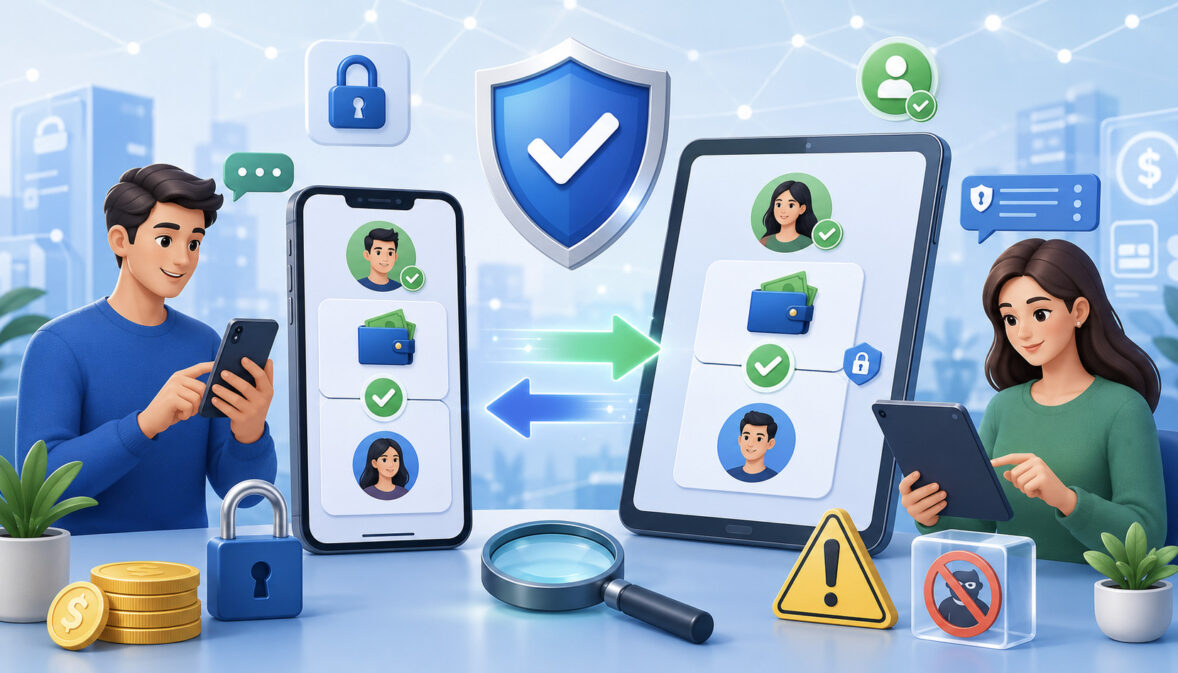
P2P Payment Fraud Prevention Tips
Peer-to-peer payments make it easy to send money quickly, split bills, pay friends, tip service providers, handle marketplace purchases, and receive small business payments. But the same speed that makes these tools convenient can also create serious fraud risks.
These P2P payment fraud prevention tips can help users slow down, verify details, protect accounts, and recognize scams before money is sent.
P2P apps and mobile payment apps are often used for instant transfers between people who already know each other. Problems happen when scammers push users to treat a fast payment like a protected purchase, a verified invoice, or a guaranteed refund.
A fake buyer may send a false payment confirmation. A fake seller may demand a deposit and disappear. A fraudster may impersonate a friend, family member, support agent, landlord, employer, or vendor.
This guide explains how peer-to-peer payment fraud happens, what warning signs to watch for, how to verify recipients, how to secure accounts, and how consumers, sellers, freelancers, small businesses, and finance teams can use safe P2P payments more responsibly. It is informational only and does not provide legal, tax, investment, or financial advice.
What P2P Payment Fraud Means
P2P payment fraud is scam or fraud activity involving peer-to-peer payments, mobile wallets, money transfer apps, digital wallets, instant transfers, or person-to-person payment tools. It can happen when a scammer tricks a user into sending money, gains access to an account, sends fake proof of payment, or uses stolen information to move funds.
A key part of P2P payment fraud prevention is understanding the difference between unauthorized fraud and authorized scam payments. Unauthorized fraud happens when someone accesses an account or payment method without permission.
This may involve account takeover, stolen login details, phishing, malware, a stolen phone, or misuse of linked debit card or bank account access.
Authorized scam payments are different. In these cases, the account owner may personally approve the transfer, but only because a scammer lied, created pressure, impersonated someone, or used social engineering. This is often called authorized push payment fraud because the victim is manipulated into pushing money to the fraudster.
That difference matters because payment disputes, refund requests, error resolution, and reversal outcomes may depend on the payment type, funding source, app rules, timing, and whether the transfer was unauthorized or authorized after deception. Users should not assume every P2P payment has the same protection as a card purchase or marketplace checkout.
P2P payment protection starts before sending. Once money moves, recovery may be difficult. The safest habit is to verify the recipient, confirm the purpose, review every detail, avoid suspicious links, and use strong account security before approving any transfer.
Why P2P Payment Fraud Happens
Because faster payment rails can reduce the time available to detect mistakes or scams, users should understand the security side of real-time transfers. This overview of instant payment security best practices provides helpful background on authentication, monitoring, and safer payment behavior.
Peer-to-peer payment fraud happens because fast money movement gives scammers less time to be challenged. P2P apps are designed for convenience, and many transfers can be completed in seconds or minutes. That speed is useful for trusted payments, but risky when the recipient is unknown, the request is urgent, or the situation feels unusual.
Scammers also know that people are more likely to act quickly when emotions are involved. A message about an emergency, a limited-time deal, a locked account, a rental deposit, a job opportunity, or a family crisis can override careful thinking. This is why P2P payment scams often rely on urgency, fear, secrecy, or excitement.
Another reason P2P fraud risks are common is that users may misunderstand buyer protection. Many people assume a payment app can reverse a transfer whenever something goes wrong. In reality, many peer-to-peer payments are intended for trusted contacts. Refunds, reversals, and disputes are not guaranteed.
Weak account security also creates risk. Reused passwords, missing two-factor authentication, outdated devices, suspicious links, and fake login pages can lead to account takeover. Once a scammer controls an account, they may send unauthorized transfers, change settings, add recipients, or impersonate the real user.
Instant Speed Creates Pressure
Instant transfers create pressure because the payment decision and the money movement happen very close together. A scammer may tell a buyer that an item will go to someone else unless payment is sent now. A fake landlord may demand a deposit before showing a property. A fake employer may ask a worker to send money for equipment immediately.
The goal is to reduce the victim’s time to verify. When people feel rushed, they may skip checking usernames, phone numbers, email addresses, payment handles, QR codes, or transaction notes. They may trust a screenshot instead of confirming funds inside the app.
A strong instant payment fraud prevention habit is to treat urgency as a warning sign. Legitimate payments can usually survive a short pause for verification. If the other person becomes angry, threatening, secretive, or unusually pushy, that is a reason to stop and review the request more carefully.
Scammers Exploit Trust
Many P2P payment scams work because they look familiar. A scammer may pretend to be a friend, relative, customer, seller, landlord, employer, charity, support agent, delivery contact, or business representative. They may use a stolen social media account, copied profile photo, spoofed phone number, or email address that looks close to the real one.
Trust-based scams are especially effective when the request feels personal. A message may claim a loved one is in trouble, a friend lost their wallet, a vendor needs an urgent payment, or a customer accidentally sent too much money. The scammer may ask the user not to tell anyone, which is another warning sign.
P2P scam prevention depends on verifying through a separate channel. If a friend messages from a social account asking for money, call the known phone number saved in your contacts. If a vendor sends new payment details, confirm through a trusted record already on file.
Reversal Options May Be Limited
Many P2P payments are difficult to reverse after sending because they are designed for quick transfers between trusted parties. This does not mean users have no options if something goes wrong, but it does mean prevention is more reliable than recovery.
A mistaken payment to the wrong recipient, a payment sent to a fake seller, or a refund sent after a fake payment confirmation can be hard to unwind. The outcome may depend on the app’s rules, the linked funding source, whether the payment was unauthorized, whether the recipient cooperates, and how quickly the issue is reported.
Users should review app terms, support processes, and payment confirmation screens before using a service for higher-risk transactions. If buyer protection is important, choose a payment method or platform that clearly explains what is covered.
Common P2P Payment Scams Table
The following table summarizes common P2P payment scams and practical ways to reduce risk.
| Scam Type | How It Works | Warning Sign | Potential Loss | Prevention Tip |
| Fake buyer scam | A buyer claims payment was sent and pressures the seller to release goods | Screenshot only, no in-app confirmation | Item lost without real payment | Confirm funds inside the app before handing over goods |
| Fake seller scam | A seller lists goods, tickets, rentals, or services they do not provide | Demands upfront payment to an unknown recipient | Payment sent with no delivery | Avoid paying strangers without protection |
| Overpayment scam | A scammer claims they paid too much and asks for a refund | Refund request before funds are verified | Refund sent from real money | Never refund until payment is confirmed and settled |
| Impersonation scam | Fraudster pretends to be a friend, relative, vendor, landlord, or support agent | Urgent request, secrecy, unusual tone | Money sent to scammer | Verify through a separate trusted contact method |
| Phishing link scam | User is sent a fake login, support, or security link | Link asks for password, PIN, or login code | Account takeover | Open apps directly, not through unexpected links |
| Fake support scam | Fraudster pretends to help fix account, payment, or fraud issue | Requests login codes, remote access, or payment transfer | Account access or money loss | Use only official support channels |
| Romance scam | Scammer builds emotional trust and asks for money | Excuses, emergencies, repeated requests | Repeated payments | Never send money to someone you have not reliably verified |
| Rental scam | Fake landlord requests deposit before showing property or proving authority | Below-market rent, rushed deposit | Deposit loss | Verify ownership, listing, and terms before paying |
| QR code scam | Fake or switched QR code sends money to the wrong recipient | Displayed recipient does not match expected name | Payment to wrong account | Review recipient details after scanning |
| Fake confirmation scam | Scammer sends fake email, text, or screenshot showing payment | Payment not visible in account | Goods or refund lost | Trust only the app or account ledger |
P2P Payment Safety Starts Before You Send Money
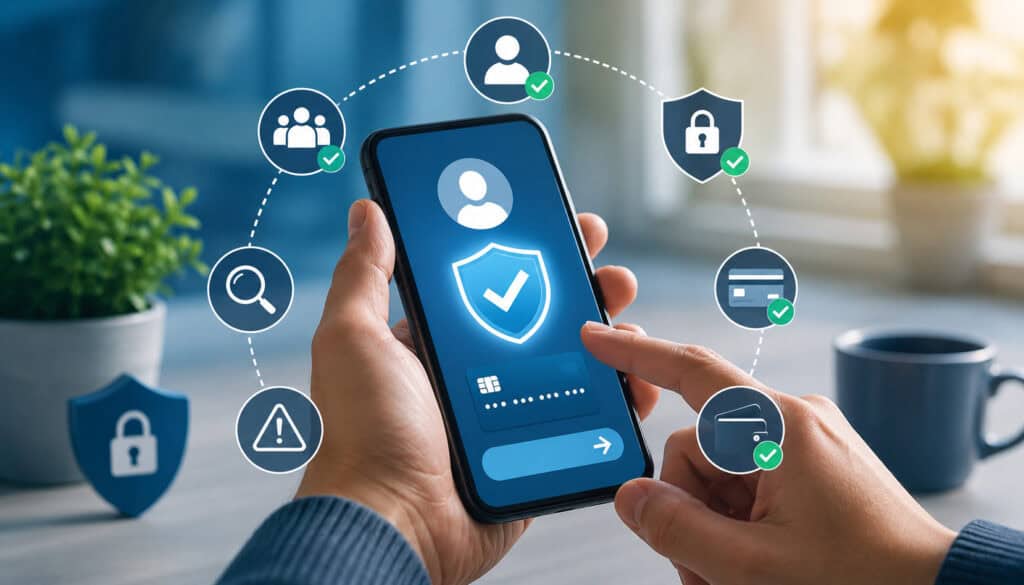
The most important P2P payment safety tips apply before money leaves your account. After a transfer is sent, options may be limited. Before sending, verify the recipient, confirm the purpose, review the amount, inspect the funding source, and consider whether the situation fits normal behavior.
A safe P2P payment should answer three questions: Who am I paying? Why am I paying? What proof do I have that this is legitimate? If any answer is unclear, pause. Scammers depend on speed, confusion, and assumptions.
Recipient verification is especially important when paying a new person, a marketplace seller, a contractor, a landlord, a ticket seller, a charity contact, or anyone who reached out unexpectedly. Even small typo errors in usernames, phone numbers, or payment handles can send money to the wrong place.
Users should also avoid sending money because of fear, secrecy, romance pressure, job promises, fake prizes, or threats. A legitimate request should not require you to hide the payment from others or bypass normal verification.
Verify the Recipient
Recipient verification means confirming that the person or account displayed in the app matches the person you intend to pay. Check the name, phone number, username, email, profile photo, QR code, and payment handle. Do not rely on one signal if the transaction is risky.
For trusted contacts, verify the payment handle directly with the person. For unusual requests, confirm through a separate channel, such as a known phone number or prior email address. For businesses, use payment details published through an official channel, not details sent in a random message.
When scanning a QR code, review the recipient name displayed before paying. QR codes can be switched, covered, spoofed, or sent by scammers. Scanning is convenient, but the confirmation screen is still your responsibility.
Confirm the Reason for Payment
A payment request should make sense. If someone you know suddenly asks for money, the amount, purpose, tone, and timing should match normal behavior. If a seller changes the story, a buyer overpays, or a customer asks for a refund before payment appears, treat it as suspicious.
Scammers use emotional triggers. They may claim an emergency, a locked account, a limited offer, a delivery problem, a security issue, or a personal crisis. They may also ask you to keep the transaction secret.
Before sending money, ask whether the request is consistent. Did you initiate the purchase? Do you know the person? Is the amount expected? Are payment instructions normal? If not, stop and verify.
Review Every Detail Before Sending
Before tapping send, review the amount, recipient, note, funding source, and payment purpose. A simple mistake can become costly if the payment cannot be canceled. Make sure the recipient’s displayed details match what you expected.
Payment notes should be clear but not sensitive. Do not include passwords, account details, personal identification details, addresses, or private information in transaction notes. If a transaction later needs review, a simple note such as “lamp purchase” or “invoice balance” is safer than sensitive details.
Also check whether the payment will come from a balance, bank account, debit card, or another linked source. Different funding sources may have different support, timing, and dispute processes.
How to Recognize P2P Payment Scams
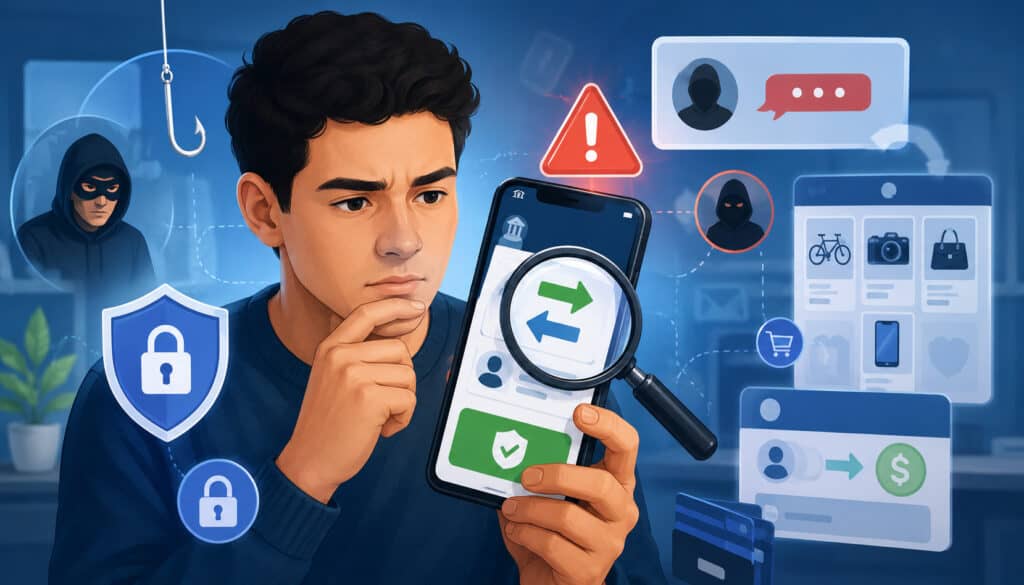
P2P payment scams often share recognizable warning signs. The strongest red flags are urgency, secrecy, suspicious links, emotional pressure, fake confirmations, overpayment requests, and instructions that do not match normal behavior.
A scammer may pressure you to use a specific app because the transfer is fast. They may refuse safer payment options, avoid meeting in person where appropriate, push communication off a marketplace platform, or claim they need money before they can complete the transaction.
Fake screenshots are another major warning sign. A screenshot, email, or text message saying payment was sent is not the same as confirmed funds inside your account. Sellers should check the app or account ledger directly.
Suspicious refund requests are also common. A stranger may claim they accidentally sent money, overpaid, or used the wrong account. Do not send a refund based only on a message. Contact support through official channels and verify the transaction first.
Urgency and Fear
Urgency and fear are classic social engineering tools. A scammer may say a loved one is in danger, a bill must be paid immediately, an account will be closed, a delivery will fail, or a rental will go to someone else. The pressure is designed to make careful review feel impossible.
Threats are also common. A fake authority figure may claim legal action, arrest, account suspension, or penalties unless money is sent. A fake support agent may claim your account is under attack and tell you to move money.
Legitimate organizations and trusted contacts should not demand instant payment through fear. If the request involves threats, secrecy, or panic, stop and verify independently.
Too-Good-to-Be-True Offers
P2P payment scams often begin with attractive offers. A discounted ticket, rental, job, collectible, service, prize, or high-demand product may be priced low to encourage fast payment. The scammer may claim many people are interested and the first payment gets the deal.
Fake jobs can also involve payment requests. A fraudster may offer high pay, send fake onboarding instructions, ask for equipment fees, or request a transfer before work begins. Real work opportunities should not require a worker to send money to receive wages.
If an offer is unusually cheap, unusually urgent, or unusually easy, take extra time to verify. Search for duplicated images, review profile history, compare prices, and avoid sending money to strangers without protection.
Suspicious Refund Requests
Suspicious refund requests are common in fake buyer and overpayment scams. A scammer may claim they accidentally sent too much money, sent payment from the wrong account, or need a partial refund before the transaction appears.
Sometimes the scammer sends a fake payment confirmation that looks convincing. The seller then sends a real refund, ships goods, or releases an item even though no real money was received.
The safest response is to verify inside the payment app or linked account. If funds are not visible, do not refund. If unexpected funds appear from a stranger, do not send money back without contacting official support.
Fake Buyer and Fake Seller Scams
Marketplace transactions are a major source of peer-to-peer payment fraud because buyers and sellers often do not know each other. P2P apps may feel convenient for local sales, but they may not provide the same protection as a platform designed for buying and selling with dispute tools.
Fake buyers commonly pressure sellers to accept screenshots as proof of payment. They may claim the payment is pending, delayed, held for verification, or requires the seller to refund part of an overpayment. Some may send messages that imitate payment confirmations.
Fake sellers use the opposite strategy. They list attractive products, rentals, services, or tickets, then demand quick payment before the buyer can inspect the item. After payment, they may disappear, block the buyer, or send excuses.
Fake Buyer Scams
In a fake buyer scam, the fraudster acts interested in an item or service and then creates a false payment story. They may send a screenshot showing payment, claim funds are pending, or say the seller must upgrade an account, pay a fee, or refund an excess amount.
Another version involves shipping. The buyer may ask the seller to ship quickly and promise that funds are already sent. Once the goods are gone, the seller discovers the confirmation was fake.
Sellers should confirm payment inside the app before handing over goods, shipping, delivering work, or issuing refunds. If the app does not show the payment, treat it as unpaid.
Fake Seller Scams
Fake seller scams involve listings for items, rentals, tickets, services, or digital products that the scammer does not actually own or intend to deliver. The listing may use stolen photos, copied descriptions, low prices, or emotional urgency.
A fake seller may request a deposit to “hold” an item. They may refuse live video, refuse pickup, avoid questions, or insist that payment must be sent before any verification. Once the money is sent, the seller disappears.
Buyers should be careful with upfront payments to unknown sellers. For higher-risk purchases, use safer transaction methods, review platform protections, verify the seller’s history, and avoid moving communication away from the original platform.
Marketplace Safety Tips
Marketplace safety starts with verification. Review the seller’s profile, listing history, photos, ratings, and communication. Look for inconsistencies, recently created accounts, copied images, poor grammar in high-value listings, or pressure to leave the platform.
For local transactions, meet safely where appropriate and follow the marketplace’s safety guidance. For shipped goods, understand what protection applies before paying. For tickets, rentals, and deposits, verify legitimacy through independent sources.
Keep records of messages, listing URLs, payment confirmations, shipping details, and receipts. Records may help when reporting suspicious activity, but they do not guarantee recovery.
Impersonation Scams and Social Engineering
Impersonation scams happen when fraudsters pretend to be someone trusted. They may claim to be a friend, relative, landlord, employer, charity worker, customer support agent, vendor, business contact, or authority figure. The scammer’s goal is to make the payment feel legitimate.
Social engineering means manipulating emotions and behavior rather than hacking a system directly. A scammer may use urgency, fear, kindness, romance, authority, confusion, or guilt. These tactics work because they target normal human reactions.
P2P fraud protection depends on slowing the interaction down. Do not assume a message is real because the name or photo looks familiar. Accounts can be stolen, phone numbers can be spoofed, and emails can be imitated.
Friend or Family Impersonation
A friend or family impersonation scam may begin with a message from a familiar profile. The scammer claims there is an emergency, travel problem, medical issue, lost wallet, locked account, or urgent bill. They may ask for immediate help and tell you not to contact anyone else.
The message may sound emotional but slightly unusual. The wording may not match the person’s normal style. The payment handle may be new. The request may avoid a phone call.
Verify before sending. Call the person using a known number. Ask a question only the real person would know. If they refuse to speak or make excuses, do not send money.
Fake Support Impersonation
Fake support scams involve fraudsters pretending to help with an account problem, failed payment, suspicious transfer, or refund. They may contact users by text, email, phone, social message, or search-result ads.
A fake support agent may ask for login codes, passwords, PINs, remote access, or a payment transfer to “secure” funds. These are major warning signs. Real support should not ask for your password or one-time authentication code.
Open the app or official website directly instead of using links from unexpected messages. If support is needed, use the contact options inside the app or through verified channels.
Business or Vendor Impersonation
Business and vendor impersonation can affect small businesses, freelancers, and finance teams. A fraudster may send a fake invoice, request changed payment instructions, impersonate a manager, or pose as a customer asking for a refund.
These scams can overlap with business email compromise. A payment request may look normal because the fraudster uses real business details, copied branding, or a compromised email account.
Businesses should verify new or changed payment instructions through a trusted contact method already on file. Do not rely on the phone number or email included in the suspicious message.
Phishing, Suspicious Links, and Account Takeover
Official consumer guidance on mobile payment app scam prevention also recommends knowing exactly who is receiving the money before sending funds through a payment app.
Phishing is one of the most common ways scammers gain access to accounts. A phishing message may look like a security alert, failed payment notice, refund message, delivery issue, account lock warning, or support request. The link leads to a fake login page designed to steal credentials.
Once scammers capture login details, they may attempt account takeover. They can use stolen passwords, reused credentials, SIM swap tactics, malware, or compromised email access. If they succeed, they may send unauthorized transfers, change account settings, or impersonate the user.
P2P app fraud prevention requires strong account security and link caution. Open payment apps directly, avoid unexpected links, and never share login codes.
Do Not Share Login Codes
One-time codes, PINs, passwords, passcodes, and approval prompts are used to protect accounts. Sharing them can give a scammer access. A fraudster may claim they need a code to verify your identity, reverse a payment, release funds, or stop fraud.
Do not share these codes with anyone. Also be cautious with push notifications asking you to approve a login you did not initiate. Deny unexpected approval requests and change your password if you suspect compromise.
If someone asks for a code, treat the interaction as suspicious. Use official support channels and secure the account immediately.
Avoid Suspicious Links
Unexpected links are a major P2P payment security risk. A message may claim your account is locked, your payment failed, your refund is ready, or your identity must be verified. The link may look convincing but lead to a fake website.
Instead of clicking, open the payment app directly or type the official address manually. Be cautious with search ads, shortened links, misspelled domains, and messages that create panic.
Phishing can also happen through QR codes. A QR code is just a link or payment instruction in visual form. Always review what appears after scanning.
Secure Your Device
Your phone is part of your payment security. Use a device lock, update operating systems, update payment apps, remove unused apps, avoid jailbroken or rooted devices, and be careful with public Wi-Fi. If your device is stolen, account access may be at risk.
Enable biometric access or app PINs where available. Review device sessions and remove unfamiliar devices. Keep email accounts secure too, because email is often used for password resets.
P2P App Fraud Prevention Account Security Table
| Security Step | Why It Matters | How To Do It | Common Mistake | Best Practice |
| Strong password | Reduces credential guessing and reuse risk | Use a long unique password | Reusing one password everywhere | Use a password manager |
| Two-factor authentication | Adds protection if password is stolen | Enable app, device, or token-based verification when available | Relying only on password | Turn on stronger authentication |
| App PIN | Adds a barrier before payments | Set a payment app PIN | Leaving app open on unlocked phone | Require PIN or biometric approval |
| Device lock | Protects payment access if phone is lost | Use passcode, biometric lock, or security key | No lock screen | Lock automatically after inactivity |
| Transaction alerts | Helps detect suspicious activity quickly | Enable payment and login notifications | Ignoring alerts | Review alerts immediately |
| Privacy settings | Reduces public exposure | Limit visible activity and profile details | Public notes reveal habits | Keep activity private where possible |
| Linked account review | Reduces funding-source risk | Review connected bank accounts and cards | Keeping old links active | Remove unused links |
| App updates | Fixes security issues and bugs | Install updates promptly | Delaying updates | Keep apps and device current |
| Login monitoring | Identifies suspicious access | Review devices and login history | Not checking sessions | Remove unknown devices |
Use Strong Account Security Settings
For additional account security guidance, the official cybersecurity resource on multi-factor authentication explains how adding another verification step can help reduce unauthorized account access.
Strong account security reduces the chance that a scammer can access your payment app, change settings, or send unauthorized transfers. Start with a strong unique password. Do not reuse passwords from email, banking, shopping, social media, or business systems.
Two-factor authentication and multi-factor authentication add another layer. Even if a password is stolen, the attacker may still need another verification step. Cybersecurity guidance from official sources consistently recommends MFA as a core account security practice.
Device security is also essential. Use a lock screen, app PIN, biometric access where appropriate, and transaction alerts. Review linked bank accounts, debit cards, and payment methods regularly. Remove anything you no longer use.
Use Unique Passwords
Password reuse is risky because one compromised account can expose many others. If a social media, shopping, or email password is reused for a payment app, a breach on one service may help attackers try the same login elsewhere.
Use a unique password for every important account. A password manager can help create and store long, random passwords. This reduces the temptation to reuse simple passwords.
Protect your email account especially well. If an attacker controls your email, they may reset passwords for payment apps, banking tools, and other services.
Turn On Two-Factor Authentication
Two-factor authentication requires another form of verification beyond a password. This may include an authenticator app, device prompt, hardware key, biometric check, or code. Where stronger options are available, they are generally safer than relying only on text messages.
MFA does not stop every scam, but it helps reduce account takeover risk. It is most useful when paired with strong passwords, device security, transaction alerts, and caution around phishing.
Do not approve login prompts you did not request. If you receive unexpected codes or approvals, change your password and review account activity.
Enable Transaction Alerts
Transaction alerts help you spot suspicious activity quickly. Enable alerts for payments sent, payments received, failed login attempts, new devices, password changes, linked account changes, and security setting changes where available.
Alerts are only useful if you read them. If you see a payment you did not authorize, act quickly. Open the app directly, secure the account, contact support, and review linked funding sources.
Small businesses should assign responsibility for monitoring alerts. If multiple employees can accept payments or issue refunds, someone should review activity consistently.
Recipient Verification Best Practices
Users who rely on digital wallets can also benefit from understanding how wallet-based payments connect with faster payment networks. This guide to mobile wallet integration with instant payment networks gives helpful context on how mobile wallet payments fit into real-time payment experiences.
Recipient verification is one of the strongest P2P payment fraud prevention steps. Before sending money, confirm the recipient’s displayed name, username, phone number, email, QR code, and payment handle. Small mistakes can send funds to the wrong person, and fake handles can look similar to real ones.
For regular contacts, save verified payment details. For new recipients, ask them to confirm their handle through a known channel. For businesses, use official payment instructions and verify account names before paying.
Avoid paying strangers without understanding the risk. P2P apps are generally safest when used with trusted contacts. If you are buying goods or services from someone you do not know, review whether the transaction has clear protection.
Confirm Through a Separate Channel
Separate-channel verification means confirming a payment request through a method not controlled by the message that requested money. If you receive a text asking for payment, call a known number. If you receive an email with changed payment instructions, use a contact already stored in your records.
This is especially important for unusual requests. A friend asking for emergency money, a landlord changing payment details, a vendor requesting a new account, or a customer demanding a refund should be verified independently.
Do not use the phone number, email, or link provided in the suspicious request. That may lead back to the scammer.
Check QR Codes Carefully
QR codes are convenient, but they can be abused. A scammer can print a fake code, place a sticker over a real one, send a spoofed code, or create a code that leads to a phishing page.
After scanning, review the recipient details displayed in the app. Make sure the name, handle, and amount match what you expected. If anything looks wrong, cancel the payment.
Businesses using QR codes should post them securely, inspect them regularly, and tell customers what official payment details should appear.
Avoid Paying Strangers Without Protection
P2P payments are usually safest for people you know and trust. Paying a stranger for tickets, rentals, deposits, goods, or services can be risky if there is no buyer protection or dispute process.
Before paying, ask what happens if the item is fake, unavailable, damaged, or never delivered. If the answer is unclear, choose a safer method or platform with transparent transaction protections.
Safe P2P Payment Workflow Table
| Step | Action | Question To Ask | Warning Sign | Safe Practice |
| 1 | Verify recipient | Is this the exact person or account I intend to pay? | Similar username or unknown handle | Confirm through a known channel |
| 2 | Confirm reason | Does this payment make sense? | Urgent, secretive, emotional request | Pause and verify |
| 3 | Inspect amount | Is the amount correct? | Overpayment or changed price | Recheck agreement |
| 4 | Check funding source | Which account or card will fund it? | Unintended linked account | Choose carefully |
| 5 | Review notes | Does the note include sensitive details? | Private data in note | Keep notes simple |
| 6 | Send only if trusted | Do I understand the risk? | Stranger demands instant transfer | Use safer options when needed |
| 7 | Save confirmation | Do I have a record? | No receipt or unclear details | Save transaction record |
| 8 | Monitor alerts | Did anything unusual happen? | Login or payment alert | Secure account quickly |
P2P Payment Safety Tips for Buyers
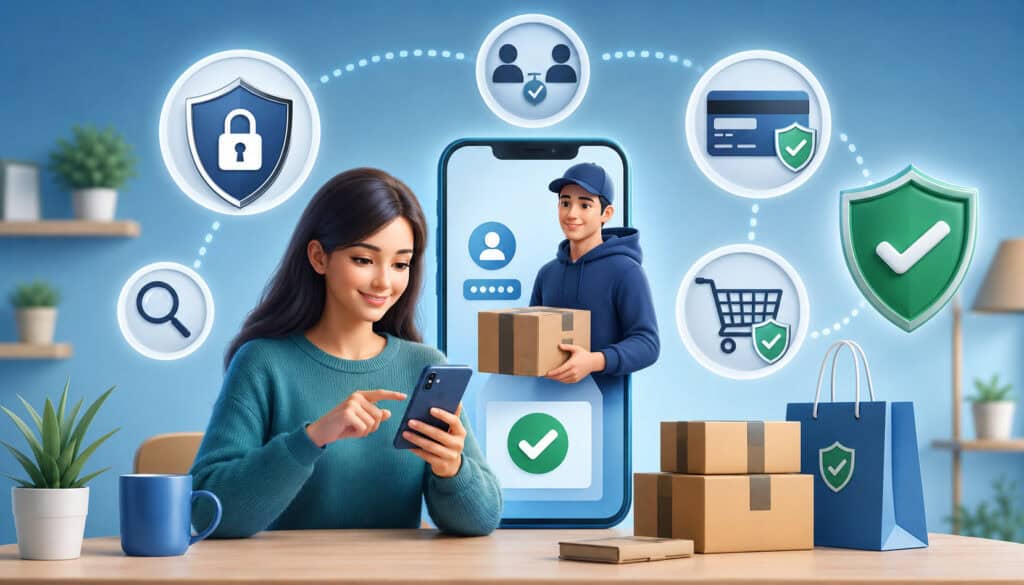
Buyers should be cautious when using P2P payments for goods, services, tickets, rentals, deposits, or marketplace deals. The biggest risk is sending money to someone who does not deliver. A fast transfer can feel like a simple checkout, but it may not include the same protection.
Research the seller before paying. Look at profile history, ratings, photos, listing details, communication style, and whether the same images appear elsewhere. Be careful with sellers who avoid questions, refuse verification, or pressure for immediate payment.
Do not move communication off a marketplace platform unless you understand the risk. Scammers often push buyers away from monitored systems to reduce evidence and avoid platform safeguards.
Research the Seller
A reliable seller should have consistent information. Review the profile age, prior activity, ratings, listing photos, item description, and communication. Be cautious with new accounts selling high-demand items at very low prices.
Ask reasonable questions. A real seller should be able to provide details, additional photos, pickup information, or proof that the item exists. For rentals, verify property details and authority before paying.
Search for copied listing text or photos. Scammers often reuse images from other sites.
Avoid Upfront Payments to Unknown Sellers
Upfront payments can be risky when the seller is unknown. Deposits for rentals, tickets, electronics, collectibles, vehicles, event access, or shipped items should be reviewed carefully.
A scammer may say the item is in high demand and payment is needed immediately. They may refuse safer payment methods or avoid meeting where appropriate. These tactics are designed to rush the buyer.
If the transaction requires trust, use a method or platform with clear protections. Do not assume a P2P payment can be reversed if the seller disappears.
Keep Transaction Records
Keep screenshots of listings, messages, receipts, payment confirmations, shipping records, usernames, phone numbers, and email addresses. Records can help when reporting fraud or explaining what happened.
However, records do not guarantee recovery. They are part of a response plan, not a substitute for prevention.
For higher-value purchases, document the agreement before sending payment. Include item description, price, delivery method, refund terms, and seller identity where appropriate.
P2P Payment Safety Tips for Sellers
Sellers face different risks. A fake buyer may send a false confirmation, claim payment is pending, overpay by mistake, or ask for a refund before real funds arrive. A seller may lose both the item and money if they trust fake proof.
Confirm payment inside the app before handing over goods, shipping products, releasing tickets, or delivering services. Do not rely on screenshots, emails, text messages, or claims that funds are delayed.
Set clear transaction terms in advance. State the price, pickup method, delivery expectations, refund policy, and payment timing. Clear terms reduce confusion and make suspicious requests easier to spot.
Confirm Payment Inside the App
A payment confirmation should come from your own account view, not from the buyer’s screenshot. Open the app directly and check transaction history. If the payment is not visible, do not treat it as received.
Scammers may send fake emails that look like payment confirmations. They may say your account must be upgraded, a fee must be paid, or a refund must be sent before funds release. These are warning signs.
If something looks unusual, contact official support through the app. Do not use links in the buyer’s message.
Watch for Overpayment Scams
In an overpayment scam, the buyer claims they sent too much money and asks the seller to send back the difference. The original payment may be fake, unauthorized, reversed, or never received.
Never refund based only on a claim. Verify the payment in your own account and review whether the funds are actually available. If the payment is unexpected or suspicious, use official support channels.
Overpayment scams often include urgency. The buyer may say they need the refund immediately. That pressure is part of the scam.
Set Clear Transaction Terms
Clear terms help prevent disputes and scams. Before accepting payment, state the price, item condition, pickup or delivery method, timing, and refund expectations. Keep messages professional and save records.
For local sales, confirm when ownership transfers. For shipped goods, keep tracking information. For services, document what is included and when delivery is complete.
Small sellers should avoid changing terms under pressure. If the buyer introduces a complicated payment story, pause the sale.
P2P Fraud Protection for Small Businesses
Small businesses that use peer-to-peer payments should treat them as part of a controlled payment process, not casual side activity. P2P payments can create accounting confusion, customer service problems, refund disputes, and fraud exposure if they are not documented.
Use business-appropriate accounts where available, keep personal and business payments separate, reconcile transactions, and store receipts. Decide who is allowed to accept payments, issue refunds, or communicate payment instructions.
Businesses should also train employees to recognize fake payment confirmations, overpayment scams, suspicious links, impersonation attempts, and unusual refund requests. A single rushed refund can create loss.
Separate Personal and Business Payments
Mixing personal and business payments can create confusion. It may become difficult to identify customers, match payments to invoices, reconcile deposits, document refunds, or respond to disputes.
Separate payment activity helps finance teams review transaction history, track revenue, and detect unusual patterns. It also reduces the chance that personal contacts see business-related payment notes or that customer payments are lost in personal activity.
A small business should use consistent payment instructions and keep records for every transaction.
Create a Payment Acceptance Policy
A payment acceptance policy explains when P2P payments are allowed, who can accept them, what details must be recorded, and how refunds are handled. It should also identify when a safer method is required.
The policy should include steps for verifying customers, confirming funds, saving receipts, handling overpayments, and escalating suspicious activity. It should be simple enough for employees to follow during busy periods.
Policies matter because scammers exploit confusion. When employees know the process, they are less likely to improvise under pressure.
Train Employees
Employee training is critical for P2P app fraud prevention. Staff should know that screenshots are not proof of payment, login codes should never be shared, suspicious links should be avoided, and refund requests should be verified.
Training should include examples of fake buyer scams, fake support scams, business impersonation, changed payment instructions, and overpayment requests. Employees should know who to contact when something feels wrong.
A good fraud culture allows staff to pause a transaction without fear. Speed should not override verification.
P2P Payment Safety for Freelancers and Gig Workers
Freelancers, contractors, creators, delivery workers, tutors, repair professionals, and gig workers may use P2P payments for deposits, tips, milestone payments, and quick client transfers. These users should protect themselves with clear terms and careful verification.
Scammers may send fake job offers, fake checks, fake payment confirmations, or requests for workers to send money first. A job that requires paying fees before being paid deserves extra scrutiny.
Workers should agree on scope, price, deadlines, refund terms, and delivery expectations before starting. For higher-value work, confirm funds inside the app before delivering final files, access, or completed work.
Watch for Fake Job Offers
Fake job scams may promise high pay for easy work. The scammer may ask for equipment fees, training costs, software purchases, or money transfers. They may send a fake payment and ask the worker to forward part of it.
A legitimate client should not require a worker to send money to receive pay. Be careful with offers that arrive unexpectedly, involve vague duties, or pressure you to act quickly.
Verify the client, business identity, project details, and payment terms before accepting work.
Use Clear Payment Terms
Clear payment terms protect both sides. Freelancers should define the project scope, price, timeline, deposit amount, milestone schedule, revision limits, and refund policy before work begins.
Written terms reduce confusion if a client later claims they misunderstood. They also help identify suspicious behavior, such as a client changing payment instructions or demanding delivery before confirmed payment.
Keep copies of messages, invoices, receipts, and completed work records.
Confirm Funds Before Delivering Work
Before delivering high-value work, confirm that payment appears inside the app or account. Do not rely on screenshots or emails from the client. A fake confirmation can look convincing.
For digital goods, access credentials, designs, writing, consulting deliverables, or custom work, delivery may be hard to reverse. That makes payment confirmation especially important.
If a client pressures you to deliver before funds are visible, pause and verify.
P2P Payment Safety for Rent, Tickets, and Marketplace Deals
Rentals, tickets, and high-demand marketplace items are common targets for P2P payment scams because buyers often feel pressure to act quickly. Fraudsters use limited availability, attractive pricing, and emotional urgency to encourage instant payment.
Fake rentals may involve copied listings, stolen photos, fake landlord identities, and deposit requests before a showing. Ticket scams may involve fake, duplicated, canceled, or unavailable tickets. High-demand goods may be listed at low prices to attract fast payment.
When a transaction involves a stranger and a valuable item, take extra verification steps. Avoid sending deposits before confirming legitimacy.
Rental Payment Scams
Rental scams often involve properties that do not exist, are not available, or are not controlled by the person requesting payment. The scammer may claim to be away, unable to show the property, or handling many applicants.
They may request an application fee, security deposit, or first payment through a P2P app before verification. Once payment is sent, they disappear.
Verify the property, ownership or management authority, lease process, and contact details before sending money. Be cautious with below-market pricing and rushed deposits.
Ticket Scams
Ticket scams involve fake, duplicated, transferred-back, or nonexistent tickets. A scammer may send screenshots or barcodes that look real but do not grant entry. They may demand fast payment because the event is popular.
Use official transfer methods where available and understand what protection applies. Be cautious with sellers who refuse verification, avoid secure transfer processes, or push immediate P2P payment.
Keep records, but remember that records may not guarantee recovery after a scam.
High-Demand Item Scams
Electronics, collectibles, luxury items, limited releases, and discounted products are often used in fake seller scams. The seller may claim many buyers are waiting, so payment must be sent immediately.
High pressure plus low price is a risky combination. Verify the item, seller identity, and transaction method before paying.
If the seller will not answer basic questions, provide additional proof, or use safer options, walk away.
What to Do If You Suspect P2P Payment Fraud
If you suspect P2P payment fraud, act quickly. Stop communicating with the suspected scammer, save evidence, secure your accounts, contact the payment app through official support, and contact the linked bank or card issuer if a funding source may be affected.
Change passwords for the payment app, email account, and any account that may share credentials. Enable two-factor authentication if it is not already on. Review linked accounts, recent transactions, devices, and security settings.
Report the scam through relevant support and fraud reporting channels. Timely reporting can help with review, investigation, account protection, and scam awareness, but it does not guarantee recovery.
Save Evidence
Save screenshots, messages, usernames, phone numbers, emails, profile links, listing URLs, payment confirmations, transaction IDs, shipping records, and any suspicious links. Keep the evidence organized and do not edit it.
Evidence can help support teams understand what happened. It may also help when contacting a linked bank or card issuer, reporting fraud, or warning others.
Do not continue negotiating with a scammer to gather more information if it increases risk. Preserve what you already have and move to official channels.
Secure Your Accounts
If fraud may involve account takeover, secure your accounts immediately. Change passwords, remove unfamiliar devices, review linked payment methods, turn on stronger authentication, and check email forwarding rules or recovery settings.
If your phone was lost or stolen, use device recovery tools where available and contact relevant account providers. If your phone number may be compromised, contact your mobile carrier.
Account security should include the payment app, email, banking access, cloud accounts, and any social media account used in the scam.
Report the Fraud Promptly
Report suspected fraud through the payment app’s official support channel. If a linked bank account or debit card was involved, contact that institution as well. Explain whether the transfer was unauthorized, mistaken, or sent after deception.
You can also report scams through official consumer fraud reporting resources. Reporting helps create records and may help warn others.
P2P Fraud Response Checklist Table
| Action | When To Do It | Why It Matters | Information Needed | Best Practice |
| Save evidence | Immediately | Preserves details | Screenshots, IDs, messages | Store copies safely |
| Stop communication | When scam suspected | Reduces manipulation | Contact history | Do not argue or negotiate |
| Contact app support | As soon as possible | Starts review process | Transaction details | Use official channels |
| Contact bank or card issuer | If linked funding source involved | Protects accounts | Payment method, amount | Report promptly |
| Change passwords | If account risk exists | Blocks further access | Payment and email accounts | Use unique passwords |
| Enable MFA | If not already active | Strengthens access | Authentication settings | Choose stronger options |
| Report scam | After evidence saved | Helps fraud tracking | Details of scam | Use official reporting resources |
| Monitor accounts | Ongoing | Detects more activity | Alerts and statements | Review frequently |
| Warn contacts | If impersonation occurred | Prevents spread | Clear warning message | Tell contacts not to pay requests |
Understanding Disputes, Refunds, and Reversals
Disputes, refunds, reversals, and scam reports are not the same thing. A dispute is a request for review. A refund is money returned by the recipient or platform process. A reversal is a transaction being unwound under specific rules. A scam report alerts the provider or authority that fraud may have occurred.
Outcomes vary. They can depend on the payment method, funding source, app terms, account status, timing, recipient response, and whether the transfer was unauthorized or authorized after deception. Users should avoid assuming that every scam payment can be reversed.
This uncertainty is why P2P payment fraud prevention matters so much. The safest time to stop fraud is before sending money.
Unauthorized Transfers
Unauthorized transfers may involve stolen credentials, account takeover, lost device access, or someone using a linked funding source without permission. These cases may be reviewed differently from payments the account owner knowingly approved.
If you see unauthorized activity, report it quickly. Secure the account, change passwords, enable stronger authentication, and contact official support.
Keep records of when you noticed the issue and what steps you took. Timing can matter in many review processes.
Authorized Scam Payments
Authorized scam payments happen when the user approves the transfer, but only because they were deceived. Examples include fake sellers, impersonation scams, romance scams, fake support scams, and rental deposits.
These payments may be harder to recover because the system may show that the user approved the transfer. That does not make the scam acceptable, but it can make the review more complex.
Prevention is especially important for authorized push payment fraud. Verify before sending, especially when the recipient is new or the request is unusual.
Refund Requests
Refund requests should be handled carefully. Do not send money back because a stranger claims they overpaid or sent money by mistake. Do not rely on screenshots.
Verify whether funds were actually received. If an unexpected payment appears, contact official support before returning funds. This helps avoid sending real money in response to a fake, stolen, or reversible payment.
Businesses should have refund policies that require verification before money is returned.
Privacy Settings and Public Transaction Risks
Privacy settings can affect peer-to-peer payment safety. Some apps may allow payment activity, notes, friend lists, profile photos, usernames, or contact discovery features to be visible in ways users do not expect. Public information can help scammers build believable stories.
Review transaction visibility and profile settings. Limit what others can see where possible. Avoid making your payment habits, relationships, locations, or purchase patterns public.
Payment notes should not include sensitive information. Treat notes as records that could be seen, shared, or reviewed later.
Review Transaction Visibility
Check whether transaction activity can be viewed by others. If payment notes, contacts, or activity are visible, scammers may use that information to impersonate people, guess relationships, or target future scams.
Set visibility to a more private option where available. Review old transactions if the app allows it. Keep business and personal transactions separate.
Privacy settings are not a complete fraud solution, but they reduce unnecessary exposure.
Avoid Revealing Sensitive Details
Payment notes should not include passwords, account numbers, addresses, personal identification details, private health information, or other sensitive data. A short practical note is enough.
For businesses, avoid putting customer private details in payment notes. Use secure records for invoices, receipts, and customer information.
Scammers often assemble small pieces of public information into convincing stories. Share less than necessary.
P2P Payment Fraud Prevention for Families and Older Adults
Families can help reduce P2P fraud risks by discussing scams respectfully and regularly. Older adults, teens, new app users, and anyone unfamiliar with digital wallets may benefit from simple safety routines.
Common scams include emergency impersonation, fake technical support, fake prizes, romance scams, caregiver scams, and pressure tactics. The goal is not to create fear but to build habits: pause, verify, avoid links, and ask for help before sending money to unknown recipients.
Families can also help set alerts, limits, privacy settings, and trusted contact routines where available.
Discuss Scam Warning Signs
Regular conversations can make scams easier to recognize. Discuss warning signs such as urgency, secrecy, unknown contacts, suspicious links, unexpected prizes, fake emergencies, and requests for login codes.
Encourage loved ones to call a trusted person before sending money in emotional situations. A short pause can prevent a costly mistake.
Use real-world examples without blame. Scams are designed to manipulate intelligent people.
Set Payment Limits Where Possible
Payment limits, alerts, and account controls can reduce exposure. Where available, set daily limits, enable notifications, restrict who can request payments, and review linked accounts.
For users who only need small transfers, lower limits may be safer. Alerts can help trusted users notice suspicious activity quickly.
Limits do not prevent every scam, but they can reduce damage and create time to respond.
How Businesses Can Educate Customers About P2P Payment Safety
Businesses that accept or discuss P2P payments should make payment instructions clear. Customers should know the official payment handle, expected account name, confirmation process, and support channel. Confusion creates openings for impersonators.
Businesses should warn customers that they will not ask for passwords, login codes, remote access, or payments through unofficial channels. They should also explain how customers can verify payment requests.
Receipts and records are important. Businesses should confirm payments from their own account view, issue clear receipts, and keep transaction history organized.
Publish Clear Payment Instructions
Clear payment instructions reduce mistakes and impersonation risk. Businesses should publish the official payment handle, correct account name, accepted payment situations, and confirmation steps in a consistent place.
Employees should use the same instructions. Customers should not receive conflicting payment details from different staff members or messages.
If payment details change, businesses should communicate carefully and verify that customers are using the correct information.
Warn Against Impersonators
Customers should know that impostors may copy names, logos, photos, or social profiles. A business should tell customers it will not ask for login codes, passwords, or secret payment transfers.
Businesses can include scam warnings on invoices, receipts, booking pages, and customer messages. These warnings should be practical and direct.
A customer who knows what the business will not do is more likely to recognize a fake request.
Common Mistakes That Increase P2P Fraud Risk
Many P2P fraud risks come from avoidable habits. Paying strangers without verification is one of the biggest mistakes. P2P apps are convenient, but convenience does not replace trust, buyer protection, or clear transaction records.
Another mistake is trusting screenshots. A fake payment confirmation can be created quickly. Sellers should confirm funds inside the app or account before releasing goods, tickets, services, or refunds.
Sharing login codes is also dangerous. No legitimate support process should require you to reveal a password, PIN, or one-time code. Clicking suspicious links, using weak passwords, ignoring alerts, and approving unexpected login prompts can all increase account takeover risk.
Rushing under pressure is another common issue. Scammers use urgency because it works. If someone demands immediate payment, secrecy, or unusual steps, slow down.
Refunding fake overpayments can also cause loss. Never refund until funds are verified through your own account. If the situation seems suspicious, contact official support.
Using public Wi-Fi without caution, leaving devices unlocked, keeping old linked accounts, and assuming all P2P payments include buyer protection can also increase risk. Safe P2P payments require both account security and careful decision-making.
Best Practices for P2P Payment Fraud Prevention
The strongest P2P payment fraud prevention habits are simple but consistent. Send money only to trusted recipients. Verify payment handles before sending. Confirm unusual requests through a separate channel. Review the amount, recipient, note, and funding source before approval.
Use strong account security. Create unique passwords, enable two-factor authentication, lock your device, use app PINs, turn on transaction alerts, update apps, and review linked bank accounts or cards. These steps support P2P payment security and reduce account takeover risk.
Avoid suspicious links. Open payment apps directly. Never share login codes, passwords, or authentication prompts. Be careful with QR codes and review the displayed recipient before paying.
For buyers, research sellers and avoid upfront payments to strangers without protection. For sellers, confirm payment inside the app and avoid refunding overpayments without verification. For businesses, separate personal and business payments, train staff, document transactions, and create clear refund policies.
Keep records. Save receipts, messages, listings, transaction IDs, and support communications. Report suspected fraud promptly through official channels. While recovery is never guaranteed, quick action can help protect accounts and support review.
FAQs
What are P2P payment fraud prevention tips?
P2P payment fraud prevention tips are practical steps that help users reduce fraud risk when sending or receiving peer-to-peer payments.
They include verifying recipients, avoiding suspicious links, enabling two-factor authentication, using strong passwords, checking transaction details, and confirming funds inside the app before releasing goods or issuing refunds.
These tips are important because many P2P payments move quickly. Once money is sent, reversal options may be limited. Prevention is usually more reliable than trying to recover funds after a scam.
What is peer-to-peer payment fraud?
Peer-to-peer payment fraud is scam or unauthorized activity involving person-to-person payment apps, mobile wallets, digital wallets, or instant transfers. It can involve fake sellers, fake buyers, phishing, account takeover, impersonation, overpayment scams, QR code scams, or fake payment confirmations.
Some fraud involves unauthorized account access. Other scams involve tricking the real account owner into sending money. Both can be harmful, but they may be handled differently during review.
How do P2P payment scams work?
P2P payment scams usually work by creating trust or pressure. A scammer may pretend to be someone familiar, offer a deal, send fake proof of payment, request a refund, or claim there is an emergency.
The scammer’s goal is to make the victim send money before verifying details. Common tactics include urgency, secrecy, emotional stories, suspicious links, and payment requests from unknown accounts.
Are P2P payments safe?
P2P payments can be safe when used carefully with trusted recipients. They are useful for splitting bills, paying known contacts, tipping service providers, and handling small transfers where both sides understand the process.
Risk increases when paying strangers, buying goods without protection, responding to urgent requests, clicking suspicious links, or using weak account security. Users should understand the app’s rules before relying on it for purchases or business transactions.
How can I prevent P2P payment fraud?
To prevent P2P payment fraud, verify the recipient before sending, confirm the reason for payment, review the amount, avoid suspicious links, turn on transaction alerts, and use strong account security. Do not share login codes, passwords, or PINs.
For purchases, research the seller and avoid upfront payments to strangers without clear protection. For sales, confirm payment inside the app before handing over goods or issuing refunds.
What should I do before sending a P2P payment?
Before sending, check the recipient’s name, phone number, email, username, QR code, or payment handle. Confirm that the payment purpose makes sense. Review the amount, funding source, note, and any fees.
If the request is urgent, emotional, secretive, or unusual, verify through a separate trusted channel. Do not send money just because someone is pressuring you.
How can sellers avoid fake payment confirmations?
Sellers should confirm payment inside their own app or account, not through a screenshot, email, or text message from the buyer. If funds are not visible, the seller should not release goods, ship items, deliver work, or issue refunds.
Sellers should also watch for overpayment scams. If a buyer claims they paid too much, verify the payment first and use official support if something looks suspicious.
What should I do if I sent money to a scammer?
Stop communicating with the scammer, save evidence, secure your account, and contact the payment app through official support. If a linked bank account or card was involved, contact that institution as well.
Change passwords, enable stronger authentication, review linked accounts, and monitor transaction alerts. You can also report the scam through official fraud reporting resources. Recovery is not guaranteed, but prompt action is important.
Can P2P payments be reversed?
Some P2P payments may be difficult to reverse after sending, especially when the user authorized the transfer. Outcomes can depend on the payment app, funding source, timing, recipient response, and whether the transfer was unauthorized or authorized after deception.
Users should not assume a transfer can be canceled or refunded. Verify before sending and use payment methods with clear protection when dealing with unknown sellers.
How can small businesses use P2P payments safely?
Small businesses can use P2P payments more safely by separating personal and business payments, documenting transactions, confirming funds inside the app, training employees, and creating clear refund rules.
They should also publish official payment instructions so customers know the correct handle and account name. Businesses should avoid relying on screenshots as proof of payment. They should also verify unusual refund requests, changed payment instructions, and suspicious customer messages.
What account security settings help prevent P2P app fraud?
Helpful account security settings include strong unique passwords, two-factor authentication, app PINs, biometric access where appropriate, device locks, transaction alerts, privacy controls, and login monitoring. Users should also keep apps and devices updated.
Review linked bank accounts and cards regularly. Remove old funding sources and unfamiliar devices. Strong account security reduces the chance of account takeover and unauthorized transfers.
Conclusion
P2P payments are fast, convenient, and useful for everyday money movement, but speed also creates risk. Scammers use urgency, trust, fake confirmations, suspicious links, impersonation, and refund tricks to push users into sending money before verifying details.
Responsible P2P payment fraud prevention depends on slowing down before sending. Verify the recipient, confirm the reason for payment, review every detail, avoid suspicious links, secure your accounts, enable alerts, and keep records. Buyers should research sellers and avoid risky upfront payments.
Sellers should confirm funds inside the app and avoid refunding fake overpayments. Businesses should separate personal and business payments, train employees, and use clear payment policies.
Fast payments can be safe when users treat every confirmation step seriously. The best protection is a careful routine: verify first, send only when trusted, monitor activity, and report suspected fraud quickly.